Start a project or bring your own
Create a prepared Fabric workspace for 1.20.1 or 1.21.1, or import a mod you already have. The right Java and Fabric setup is handled for you.
CubeAnvil is the Windows workspace where an AI agent writes your Minecraft Fabric mod, builds it, launches the game and tests it — while you review every single change.
 CubeAnvil— Crystal Realms
Built for the real Fabric toolchain
1.20.1 · Java 17
Fabric 1.21.1 · Java 21
Fabric Loom
Gradle, warm daemon
Yarn mappings
Local projects
No tab maze, no copy-pasting stack traces. The idea, the code, the build and the running game live in a single window.
Create a prepared Fabric workspace for 1.20.1 or 1.21.1, or import a mod you already have. The right Java and Fabric setup is handled for you.
An item, a recipe, a block, a mob, a bug to fix. Attach a texture, a spec or a screenshot if it helps — the agent reads it too.
The agent's actions stream into the chat as it works. Open any file, edit it yourself, and undo with one click if you disagree.
CubeAnvil builds the mod and starts the Fabric test client right inside the app. The agent can run commands and take screenshots to check its own work.
Not a chatbot beside your editor. The agent has real tools — files, builds, the Minecraft API and the running game — and you see each one it uses.
After a build, the agent can reload the client, run commands, send input and take a screenshot to confirm the result — then fix what it sees.
Looks up classes and methods in Loom's Yarn-mapped sources instead of guessing.
Each edit is journaled. Roll back the last change, or a whole task.
Pick your target version; the matching Java is set up automatically.
Ask for an item or block texture and get a transparent, vanilla-style PNG saved straight into your mod.
New and imported projects start restricted until you trust them. The agent can't leave the workspace.
Concept art, design docs, spreadsheets, even another mod's JAR — the agent reads the contents, safely, without unpacking them to disk.
Switch to Plan mode and the agent only analyses. Read the plan, adjust it, and press Implement when you like it.
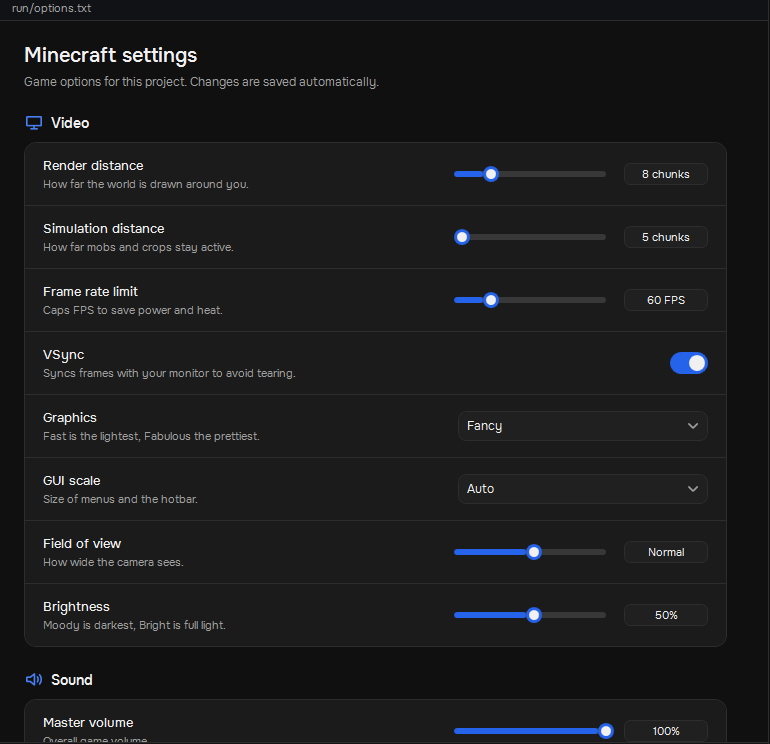
Tune render distance, FPS, VSync, graphics and more for your test client without leaving the app. Changes save automatically.
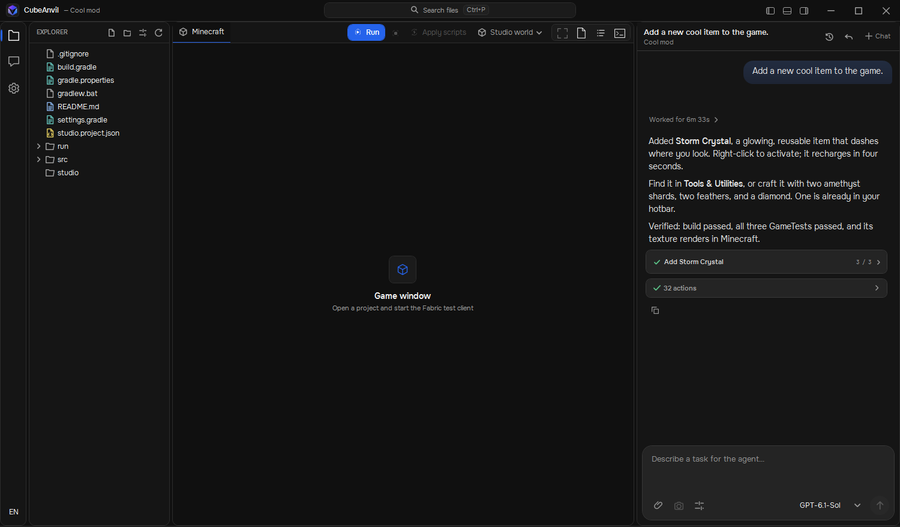
Projects and files on the left, Minecraft in the middle, the agent on the right. Dark, fast and focused. These are real screenshots.
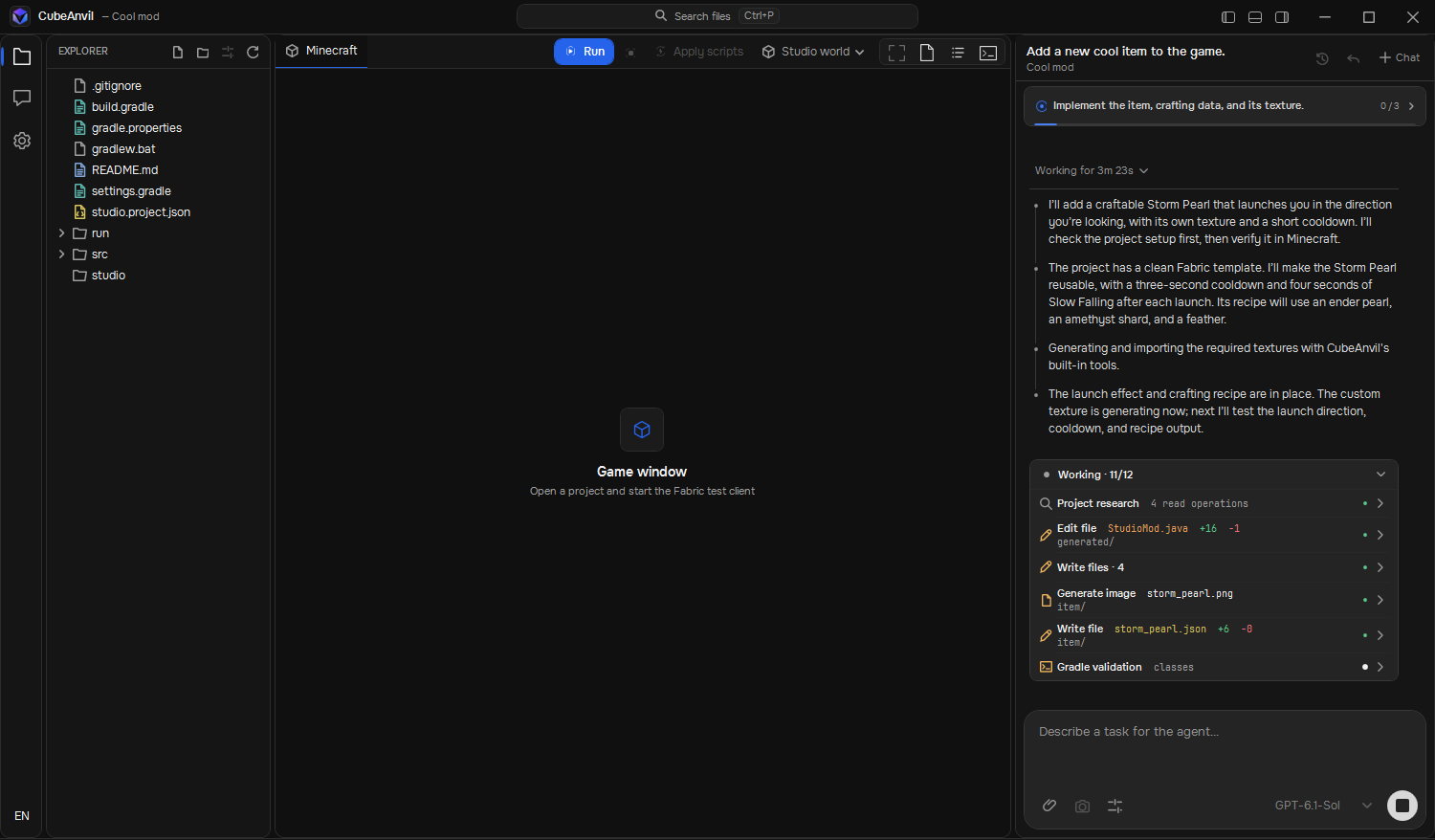
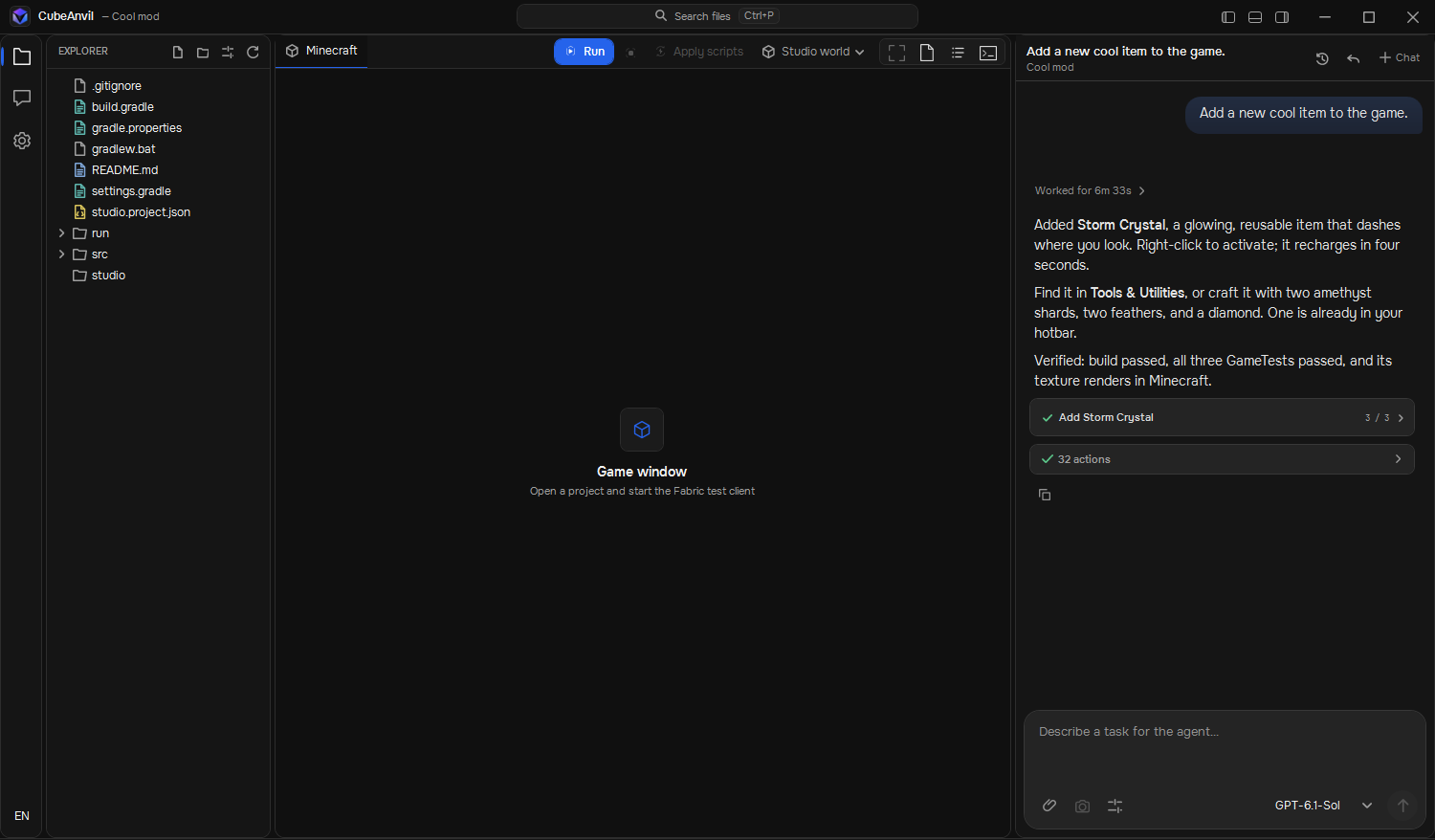
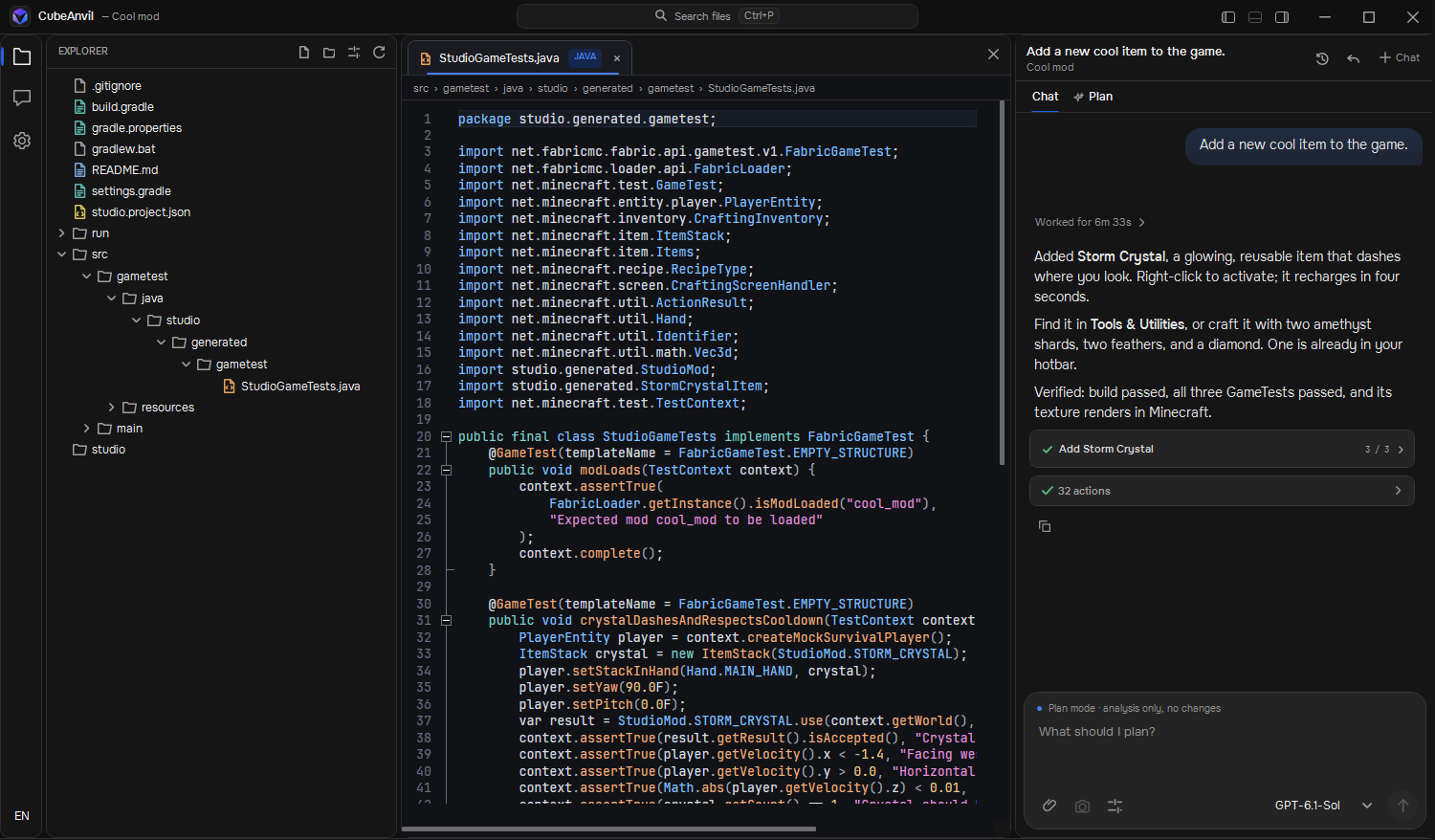
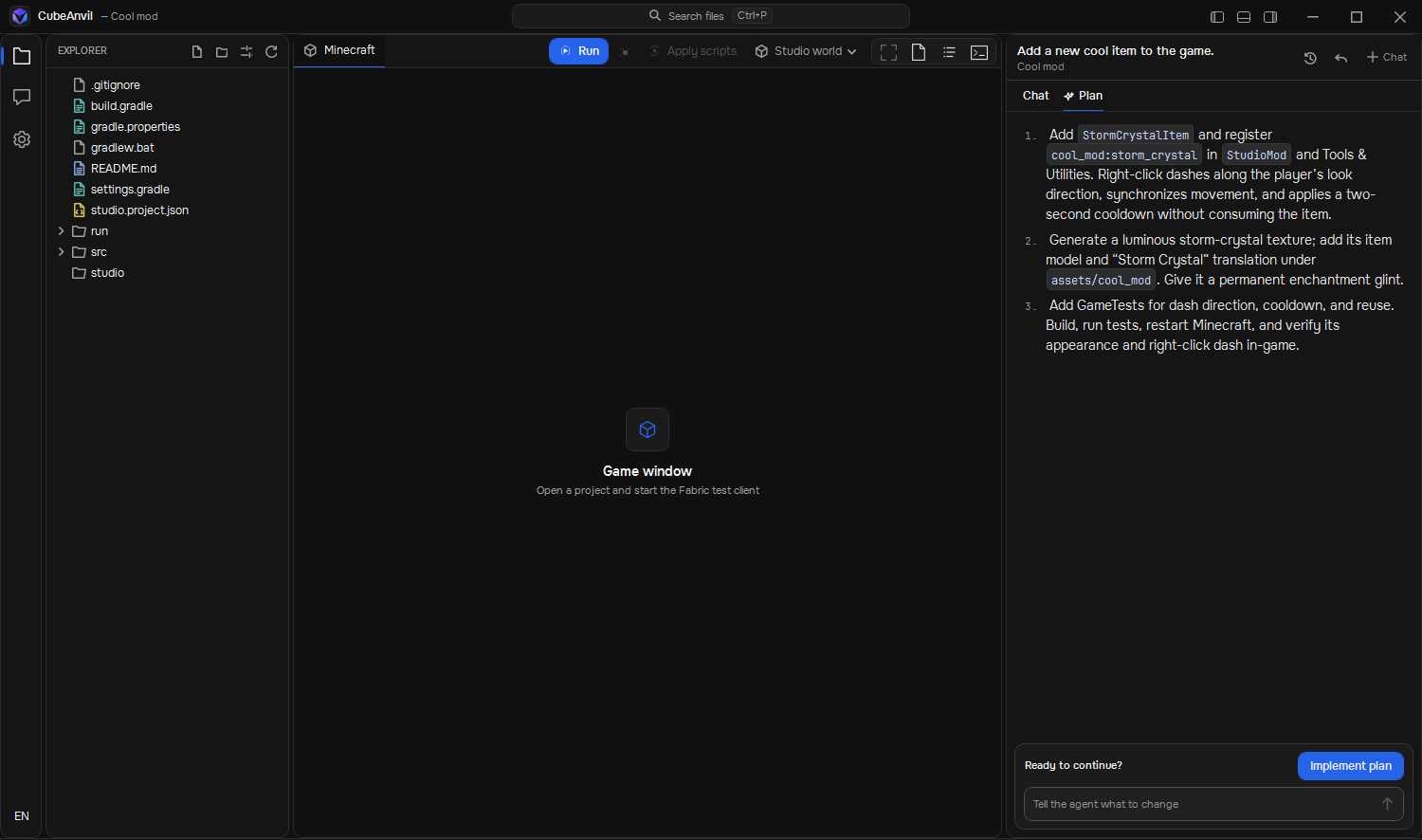
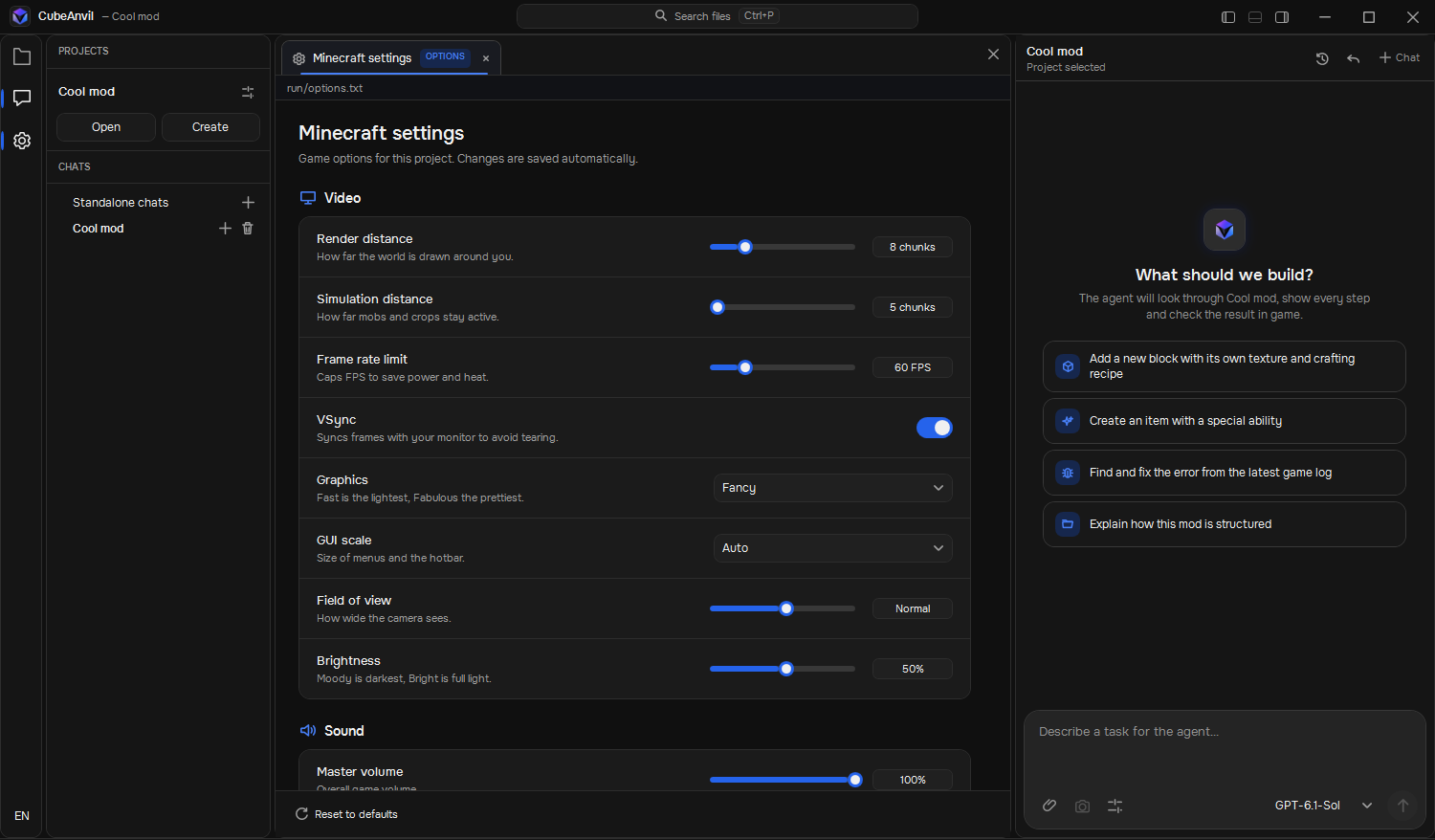
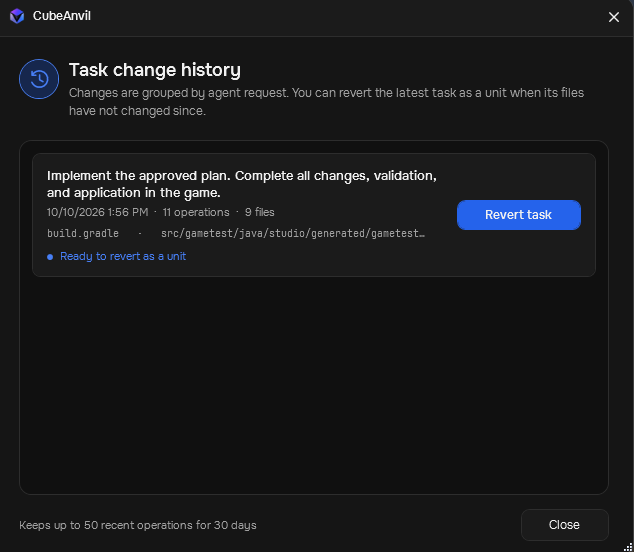
Powerful tools are only useful if you can trust them. CubeAnvil makes the agent's actions visible, bounded and reversible.
Every file read, edit, build and game command shows up in the work log as it happens.
Imported projects stay restricted until you explicitly trust the folder.
Undo the last change or revisit a past task from the history window.
The idea: one subscription covers the app and the AI usage, with no API keys to juggle. Plans are not final and nothing is charged today. Tell us which one fits you in the form below.
For learning and the occasional experiment.
For regular mod development.
For ambitious and frequent projects.
Prices are planned and approximate. Allowances and models may change before launch. Nothing is charged today.
Leave your email and tell us how you mod. We'll only write when there is real news — a build to try, or launch.